|
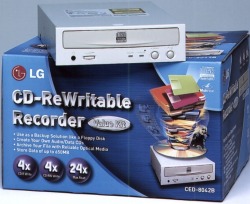
LG CED-8042B
|
LG CED
8042B
|
|
 |
Brenner-properties:
Burning CDs
For a closer look at the burningspeed we copied a CD and wrote the same
CD, after copying it to the HDD, on a CD-R and a CD-RW ruffian. Further we
copied an Audio-CD. The single times for each procedure and the resulting
bruning speeds out of it are presented in the following table. The used
burning software was WinOnCD, which was used in all tests before too.
| Burning procedure |
Size |
Time |
Burning speed |
| 1:1 Copy of a CD |
637 MB
72:29 min |
19:30 min |
3,717
(558 KB/s) |
| Creating the same CD from the HDD on a CD-R |
637 MB
72:29 min |
19:42 min |
3,679
(552 KB/s) |
| Creating the same CD from the HDD on a CD-RW |
637 MB
72:29 min |
19:37 min |
3,695
(554 KB/s) |
| Creating an Audio-CD |
639 MB
72:45 min |
21:58 min |
3,312
(496 KB/s) |
The burning speed does not reach at all the predicted 4-fold speed.
With 3,7-fold it lies about 7,5% thereunder. In the Creation of Audio-CDs
the speed slows down to 3,3-fold speed, which is a tolerance of 17,5% to
the predicted 4-fold speed.
A Plus for this drive is the independence of ruffians. We tested
different ruffian-types. All burning trials had no problems.
The user should mind the added paper, which explains important things to
do before burning the first CD. So you have to deactivate the Power
Management in BIOS and in Windows. If you have a VIA-Chipset, you have to
deactivate the DMA-Modus.
HDD Simulation
After the introduction of the UDF-format it is possible to use a
ruffian as HDD. Therefore the ruffian must be formatted. There are several
usable programs. For a better comparison we always use the PacketCD
software. The formatting process of a 650 MB CD-RW ruffian lasted 32:56
min. After this we copied some data packages to the drive. First a program
directory with a lot of files of different size (overall 92,2 MB) and then
a 59,3 MB big file. The HDD was operated with UDMA 33.
| Copy procedure |
time |
rate of transfer |
Copy of a directory
92,2 MB |
3:45 min |
420 KB/s |
Copy of one file
59,3 MB |
2:09 min |
470 KB/s |
You can see, that the data is not written with the maximum speed (that
is about 550 KB/s, see burning test), but reaches a transfer rate of 470
KB/s. That is 3,13-fold burning speed.
If you have once formatted a ruffian, for data deleting suffices a fast
format, that means only the TOC is deleted. Therefore the drive needs 55
seconds.
Equipment &
Accessories

The drive has all operating elements. A "Play/Skip"-Button is
not resigned, so you can manually play Audio-CDs with the drive. There
is all comfort anyway.
There is no lack of accessories, too. Beside IDE- and audiocables are screws and
ruffians(CD-R & CD-RW) for the first burningattempts added. Added burning
software is Easy CD CReator 3.5b and DirectCD 2.5c.
There are no remaining wishes concerning equipment and accessories. LG has
thought of everything.
User manual
LG delivers an user manual to the drive and a manual to the software
"Easy CD Creator" and "DirectCD".
The manual to the drive is very detailed and helpful. It explains
on the one hand side the functionality of the operation elements and on the
other hand side an detailed mount instruction (with driver installation) for the
drive. The instruction is very detailed and pictured with graphics. Build-in and
connection of the drive should be no problem with this really good instruction,
not for the trained user or the rookie. A bonus at the end is a 'checklist',
that helps to fing errors. If this list does not help, you can call the service.
The manual to the software helps you at your first steps with the burner.
Installation and software-using are possible without any knowledge. The manual
shows you step by step, how to burn your CD or how to use a CD-R(W) as a HDD.
Everybody should be abel to use the burner.
With both manuals you have no problem to use the drive. Nearly every
using-possibility is explained.
Summary
The CED-8042B is in the areas of CD-ROM performance, equipment, accessories
and manual really top. Only the burning speed is not so good, but a
least-burner should not remark this. So if you don't want to start a CD
production, this drive is top for you. Because of the great manual, the drive is
recomended for everybody, who buys the first burner.
Copyright
by All-About-PC. All rights reserved.
All information on this website is protected by international law. Any
reproduction or publication without the agreement of the editorial
office is prohibited. Please respect the work of others. Although all information on this website is hardly recherched and
mostly checked and confirmed from secondary side, we do not take the
responsibillity for any damage originated from the use of the
information on our site. |
|